EduPass Account not working?
If you see this while logging into your @education Account:
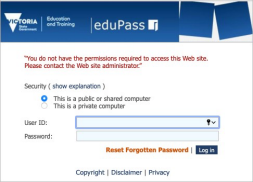
It means your password has expired, and you will have to reset it.
Option 1: (By yourself):
Scenario 1: If your password is not yet expired:
Link 1: https://edupassmyaccount.education.vic.gov.au/
Log in to this and set a few security questions up, and it will let you reset your password:
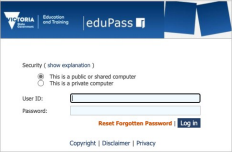
Scenario 2: If your password has expired already, and you have already set up your security questions using the link 1 above.
Link 2: https://edupasspasswordreset.education.vic.gov.au/default.aspx
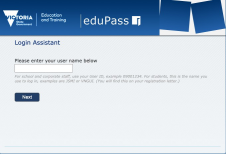
Enter your TO number.
Answer the security Questions. It will then allow you to reset your password. Answers to the security questions are case sensitive.
Option 2 :
If you have not set up your security questions You will have to get it reset by Kaye.
If your password is already expired and you haven’t set up/can’t remember security questions : Use Option 2
Was this article helpful?
That’s Great!
Thank you for your feedback
Sorry! We couldn't be helpful
Thank you for your feedback
Feedback sent
We appreciate your effort and will try to fix the article