How to use Vivi:
1. Heatherwood School uses Vivi software to wireless screen mirroring.
Vivi App should already be installed on your device and can be found on your desktop.
The App would look like this.

If it is not already installed; Please download the Vivi desktop app from https://www.vivi.io/downloads/
2. Open/Install the app on your device.
3. Once installed; open the application: Search for Heatherwood School on the below screen.
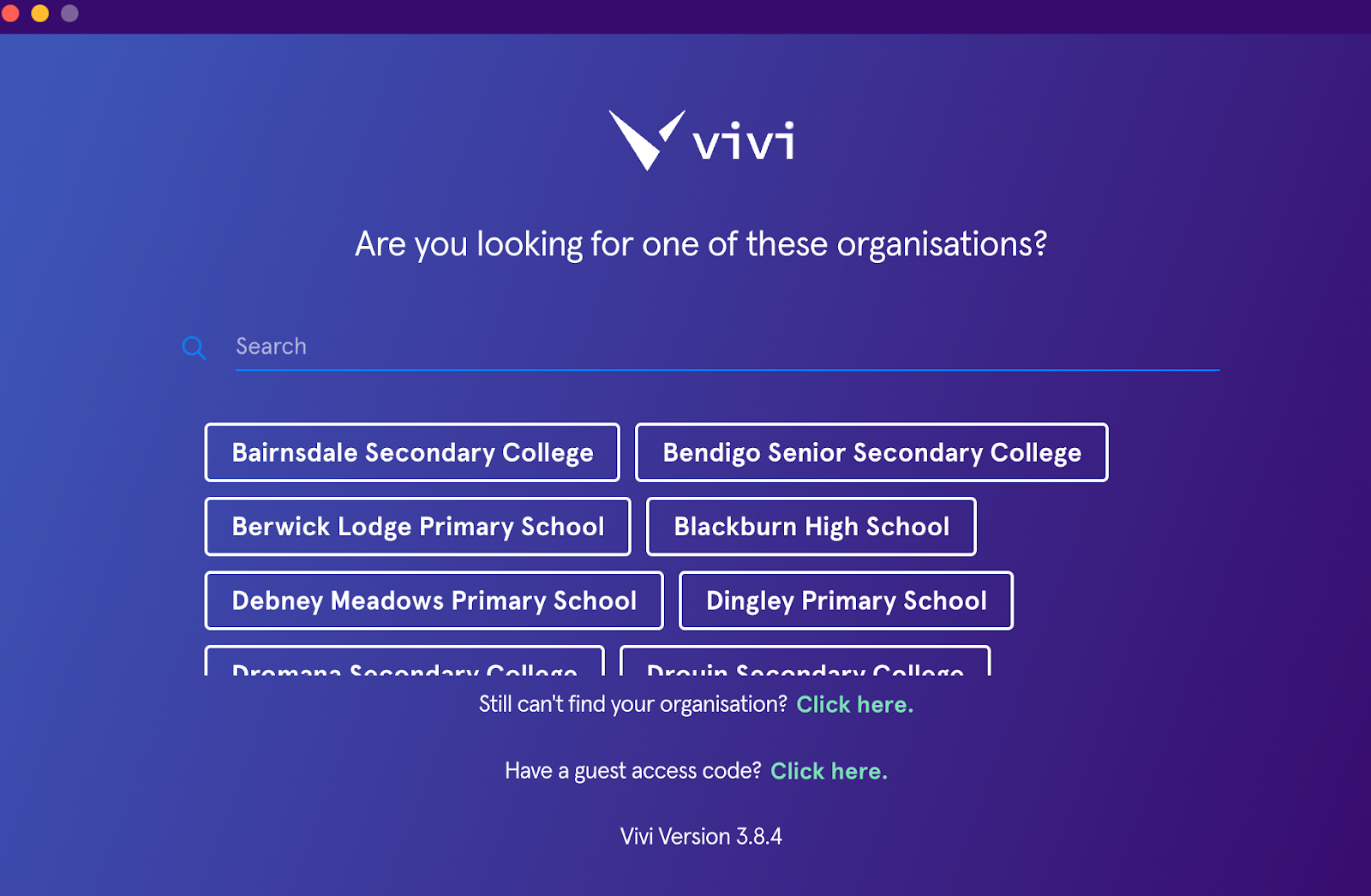
If Heatherwood School does not show after searching; Please click on the following link to detect our school. It will then automatically detect the school. https://use.vivi.io/login/osn2i3
4. Login with your edupass details. (firstname.lastname@education.vic.gov.au)
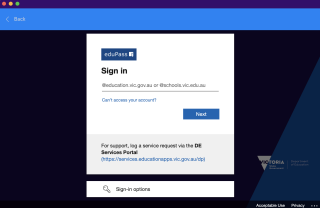
Make sure to tick “Do not show this again, stay signed in”.
6. Vivi devices can be found under the Rooms Section. Devices are set up under specific Buildings.(Ex: B-Building, F-Building)
Click on the drop down icon to see all the devices in a building.
Devices are named using Room numbers; If you do not know the room you are in: Turn on the Projector/TV using remote and Room Number will be displayed on the centre of the Vivi screen/Below School Logo. (Ex: F-280, E-180, POD)
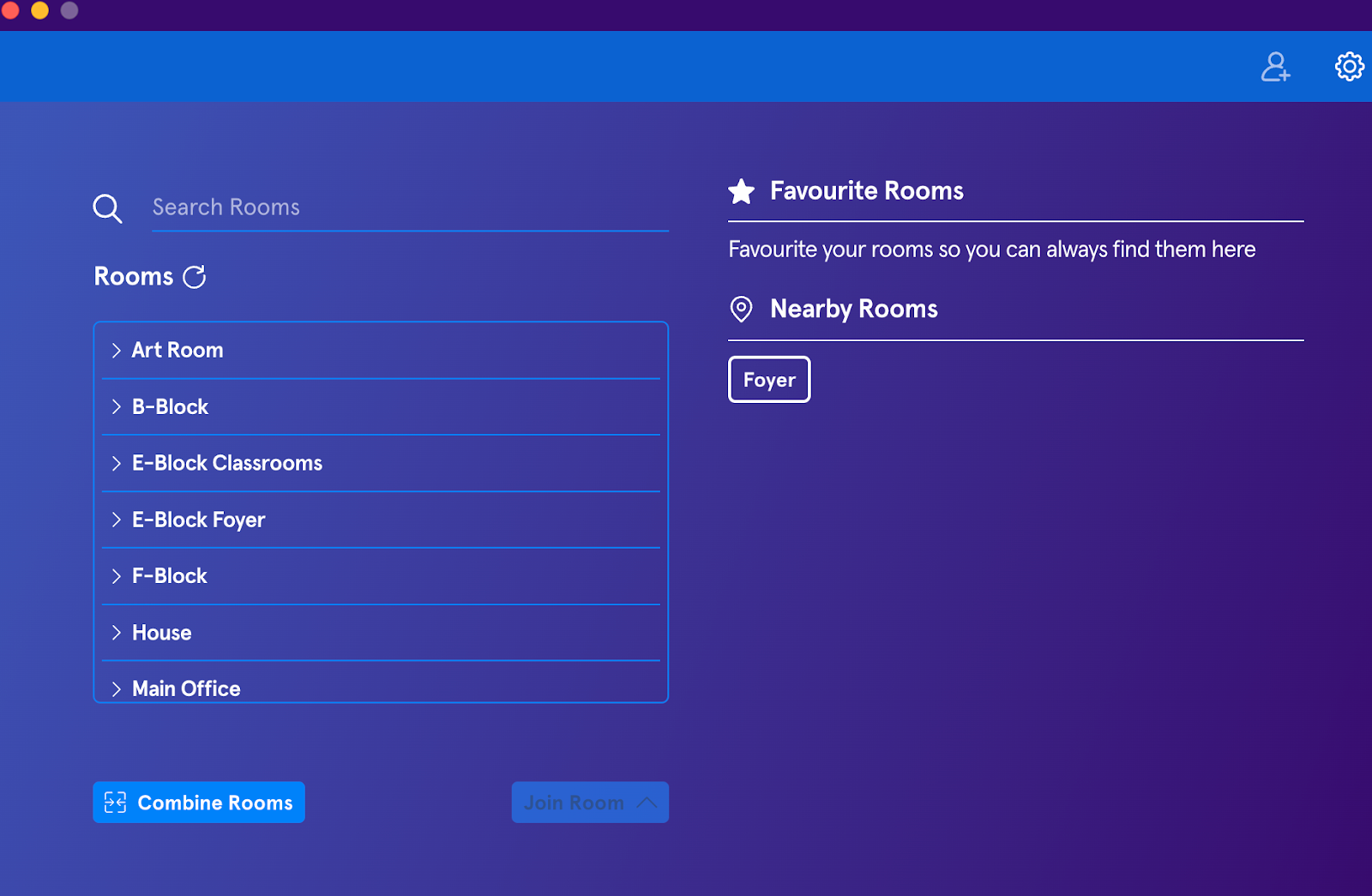
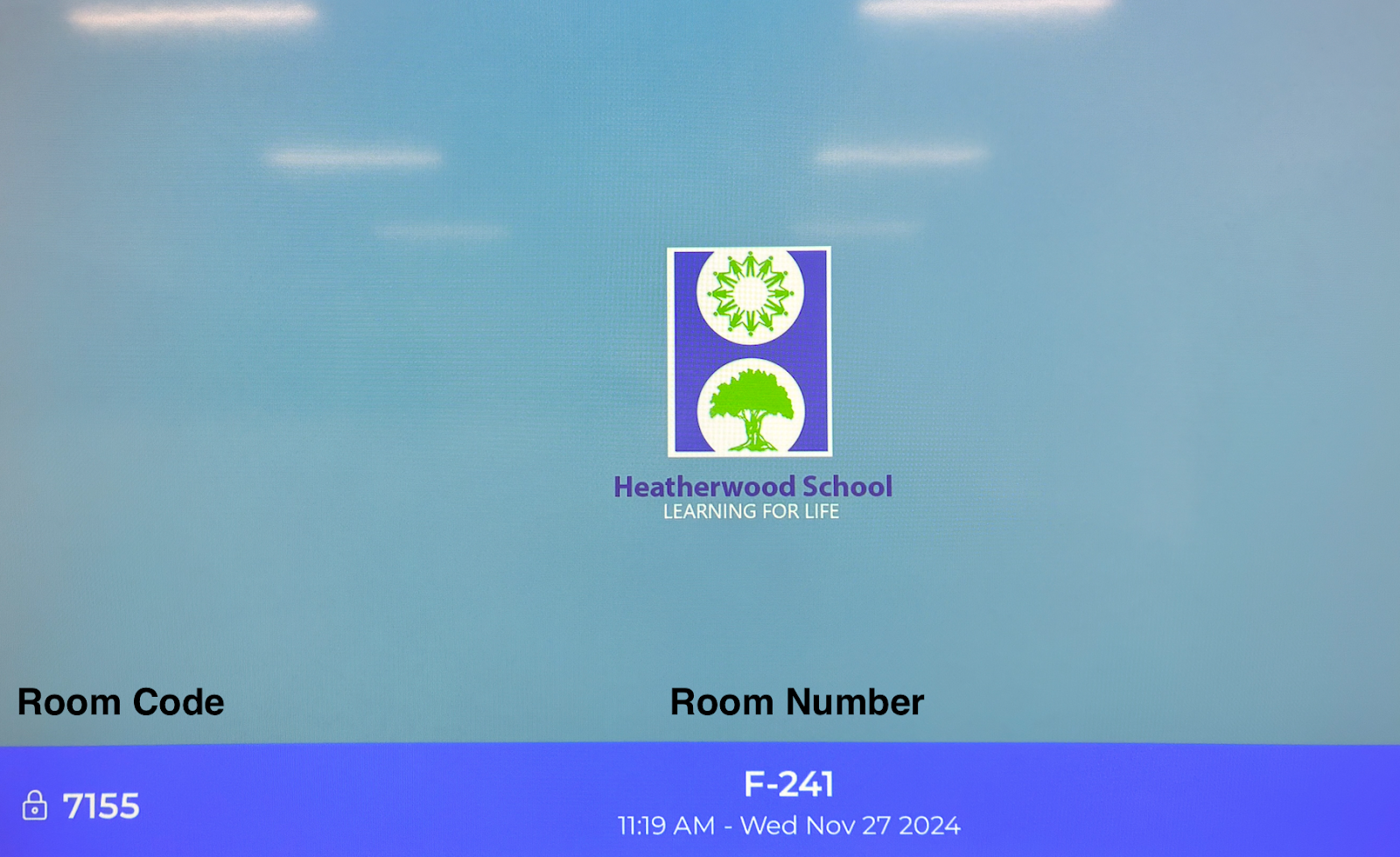
7.Click on the designated room you would like to connect. It will ask you to type the Room Code which will be displayed on the projector/TV-Vivi screen. (Left Bottom Corner with 4 Digits) This is a randomly generated code and it will change each time you login to Vivi devices.
8. Click on Join Room and Share Screen.
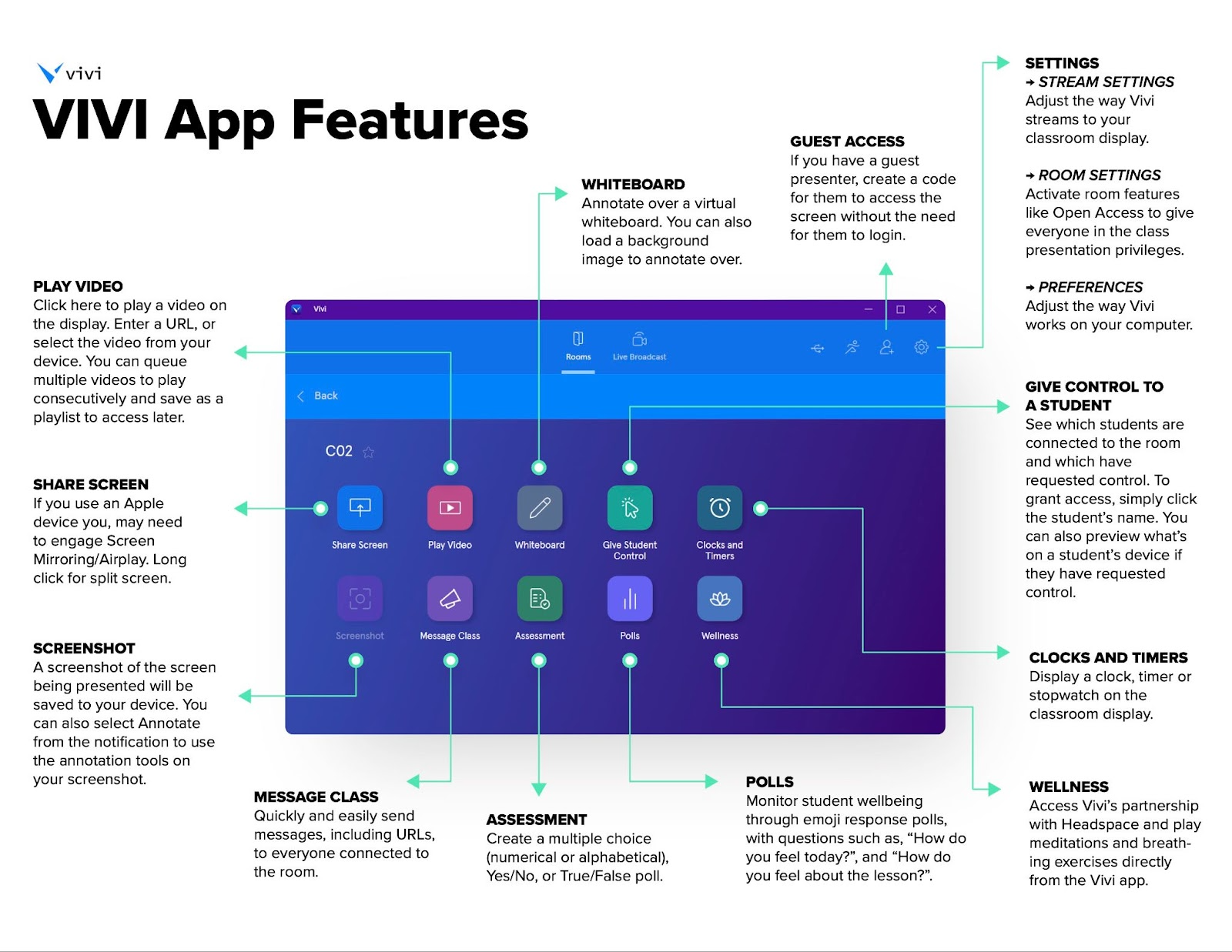
Vivi Training Resources:
Below are Staff training resources for reference:
Vivi App for Classroom - A collection of short 1-3 minute videos on Vimeo; highlighting various features of the Vivi app.
Vivi Learning course - Three concise courses designed for teachers to explore at their own pace. Completing all three should take approximately 20-30 minutes.
Teacher Tips -A compilation of best practices from educators worldwide, showcasing effective use of Vivi in classrooms. Feel free to reach out if you have any questions or need further assistance.
If there are any issues, please contact the IT office.
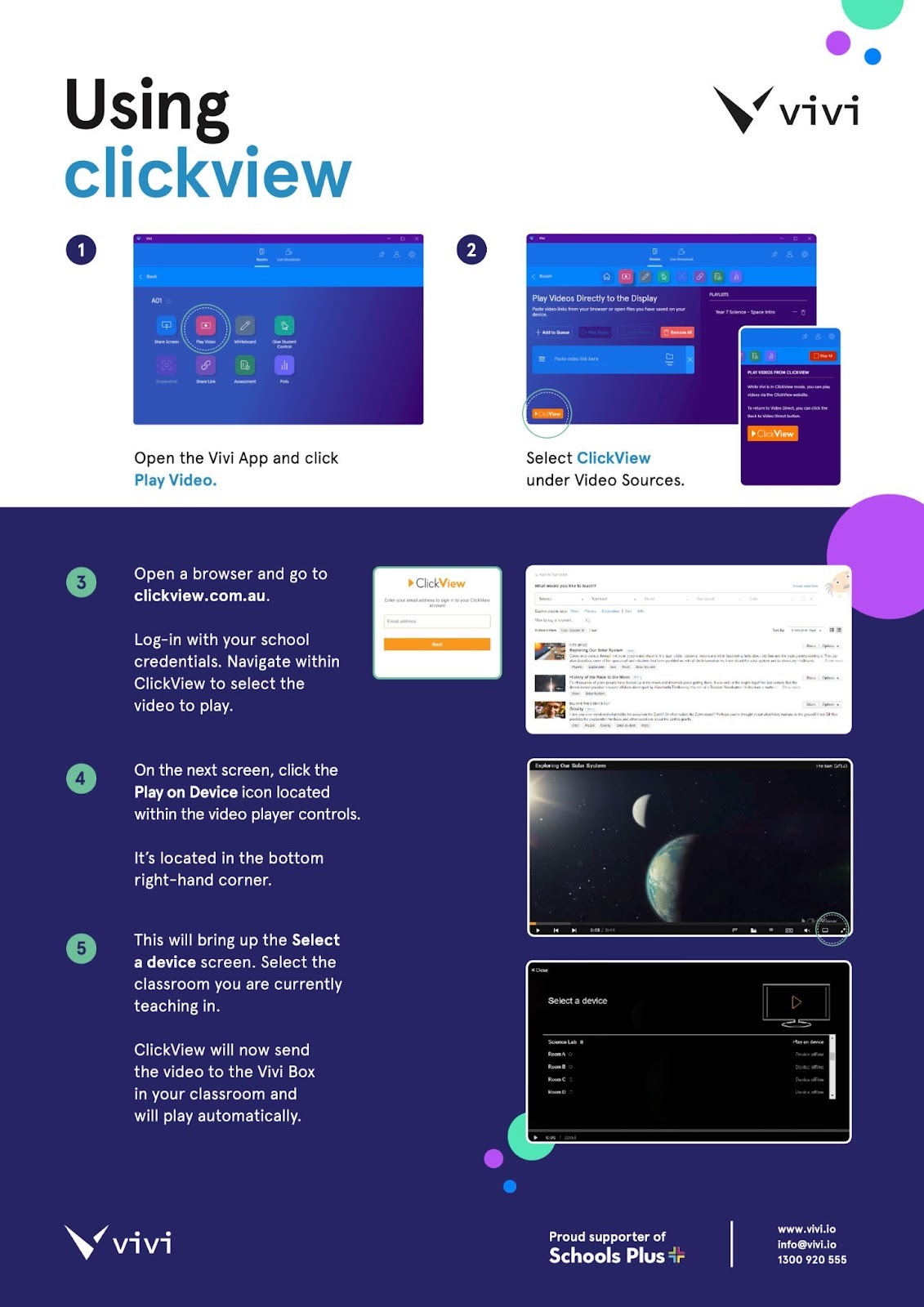
]
www.vivi.io
info@vivi.io
1300 920 555
Was this article helpful?
That’s Great!
Thank you for your feedback
Sorry! We couldn't be helpful
Thank you for your feedback
Feedback sent
We appreciate your effort and will try to fix the article